Reading Fixture Changes Before Preparing for a Football Match

A fixture list gives you a useful matchday plan, but clubs, leagues and organisers can still change the date, kick-off time, venue or match status. Check the latest details before you arrange your day around an old listing.
Confirm that you have the correct fixture
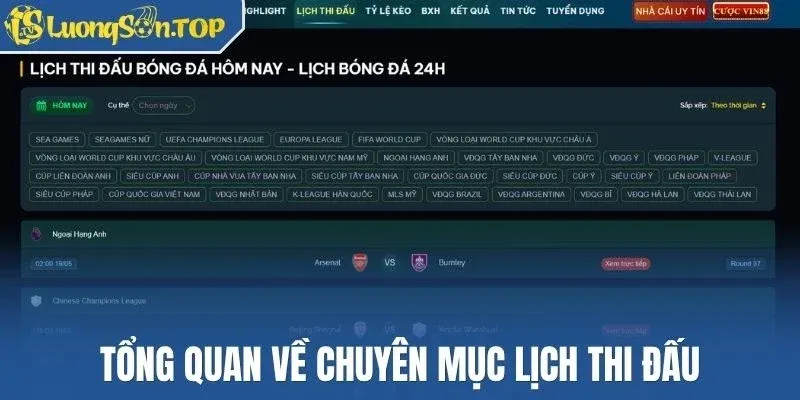
Start with the two teams, competition and scheduled date. When you check a match on Luongson, keep those three details together. The same clubs may meet in a league, cup or friendly, and a quick glance at the badges can send you to the wrong fixture.
Check the time zone as well. A website may show local stadium time, your device time or another regional setting. If you follow the match from Nigeria, convert the listing to West Africa Time before you set a reminder. Also check whether the date changes after conversion, especially for late-night fixtures.
Identify exactly what changed
Compare the latest listing with the information you saved earlier. Look for changes to the date, kick-off time, venue and match status. If the source shows an update time, use it to judge which version carries the latest information.
Do not rely on an old screenshot or a forwarded message without a publication time. It may show correct information from an earlier stage, but it cannot confirm the current schedule. Return to the fixture page or the competition's official update when the change will affect travel, viewing or another commitment.
Understand the match status

A delay means the match should start later than planned, while a postponement moves it away from the original schedule and may leave the new date open. A cancellation removes the fixture, and an abandonment means play started but could not continue. Websites sometimes use labels differently, so read any note that appears beside the status.
Use the Lịch thi đấu page to check whether the source has added a new date or time. If the page still shows an unclear status, wait for a firmer update before you make a plan that costs money or requires travel.
Update your matchday arrangements
Once you confirm the change, update your calendar, reminder and viewing plan. If you intend to attend the match, recheck your transport, ticket conditions and stadium information. If you plan to watch online, confirm the broadcaster or streaming schedule because a new kick-off time may also change the programme.
Tell anyone joining you about the change instead of assuming they saw the same update. This small step prevents people from working with different times and reduces last-minute confusion.
Review the football context again
A new date can change the number of rest days between matches. It can also affect player availability, travel plans and the likely line-up. Revisit any preview you read before the change, especially when the article relied on an expected squad or a tight run of fixtures.
Do not assume that extra rest automatically gives one team an advantage. Check the full schedule for both clubs and wait for confirmed team news. Use the change as a reason to refresh your analysis, not as proof of the final result.
Check the provider's rules if you already placed a wager
A fixture page can tell you what happened to the match, but your betting provider decides how it handles the wager. Read the rules for postponed, delayed, cancelled or abandoned matches. Providers may apply different time limits and settlement conditions.
Keep the accepted selection, price, stake and transaction reference. If you need help, ask the provider about that exact wager. A current fixture screenshot can support your explanation, but it cannot replace the terms that governed the transaction.
Complete one final check close to kick-off

Review the teams, competition, date, time zone, venue and status shortly before the match. That final check will catch many late changes and give you enough time to adjust your plan. If the details still conflict, wait for a clear update instead of guessing.